
Data Calibration
Scenario: To exclude unusual results, such as the appraisal rating that may be too high, too low between employees or between departments.
When HR uses the “Data Calibration” button, the system will automatically reallocate the evaluation results.
Step 1: On the sub-menu, select the “Advanced Report/ Appraisal Results”, you will redirect to the “Report” landingding screen.
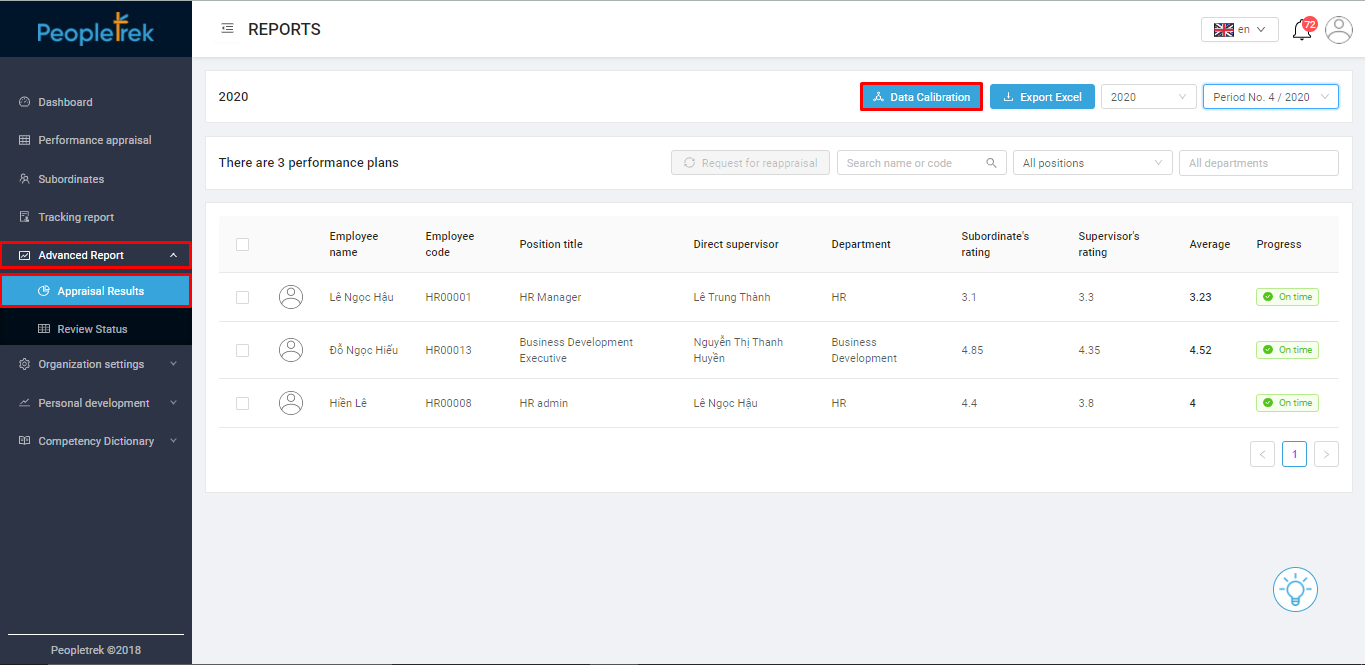
Step 2: Click on the “Data Calibration” button, and the system will show a pop-up with 02 methods:
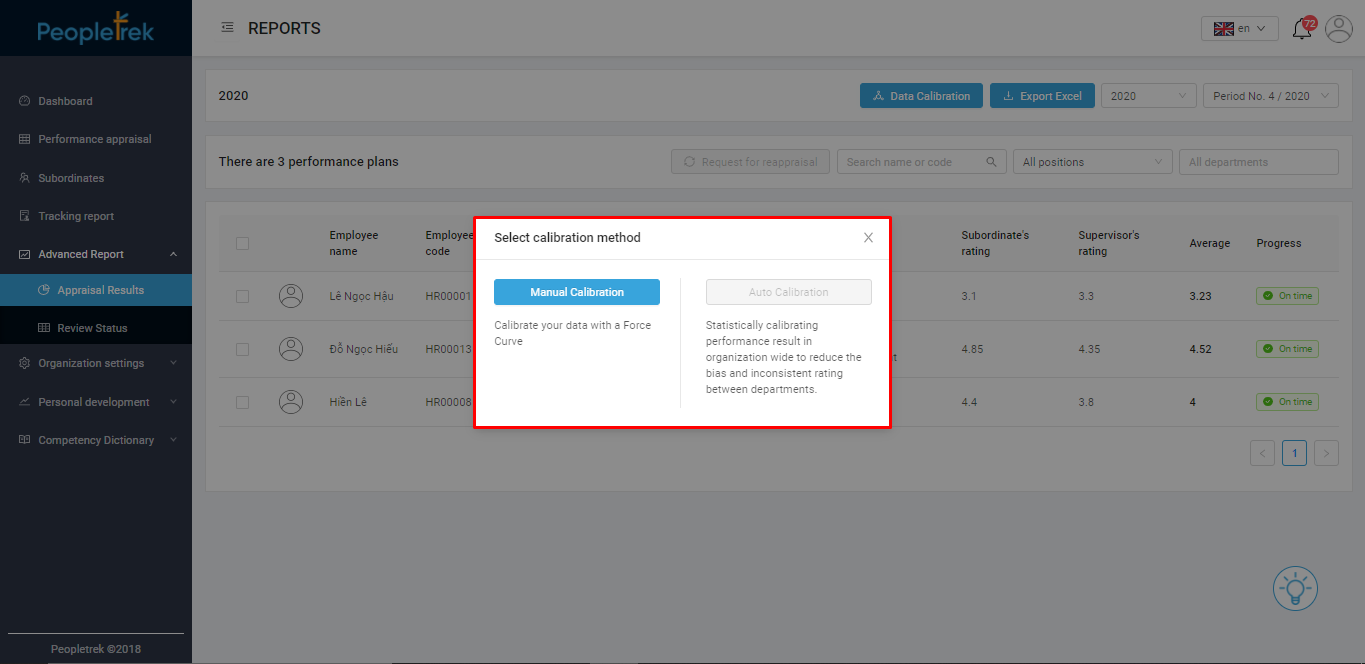
Calibrate manually: The HR manager can edit the parameters of each performance appraisal and record these results. Additionally, the HR manager also can make reset appraisals for employees.

Auto calibration: the system will benchmark the company performance appraisal. From there, we can identify the deviation index. And multiply the adjusted index with the deviation index. Thereby; calibrating the data for the entire company.
Please note: This function only used when all employees have completed the appraisal.